Back to Blog

AppScript
Stop Copy-Pasting: How to Bridge the Gap Between Gemini and Your Google Doc Templates
December 19, 2025
4 min read
0 views
Jack Miller
Loading reactions...
We already know that Gemini is really good at writing, and with the implementation of Gems we're able to give additional context and instructions to consistently generate material, extract information and write new content. A question that often comes up is "how do I get this to write into my existing template?"
We can create a Gem that acts like us, writes like us and follows our instructions to write something like a proposal. The problem then is getting that information out of Gemini and into our existing templates. It adds manual work of copy/pasting into the template when that is the very thing we're trying to avoid!
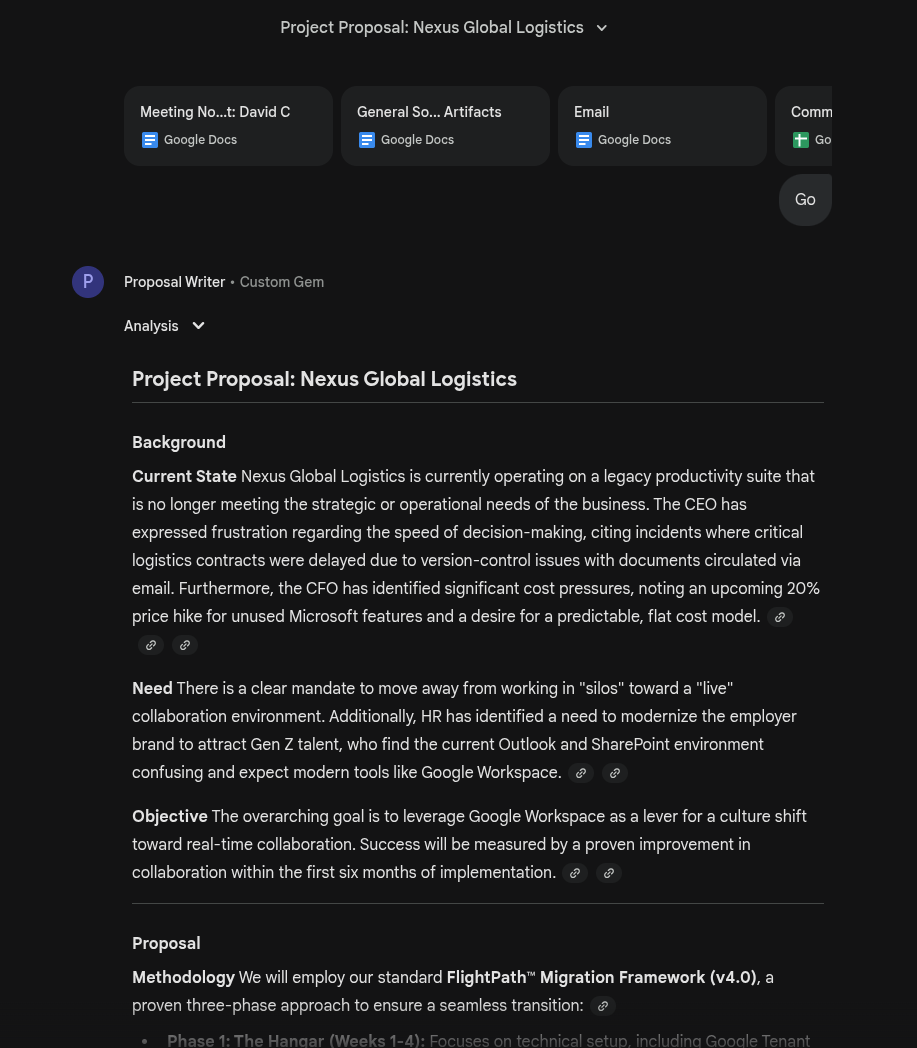
You can see that we can craft the perfect Gem in Gemini that adheres to our language and context, and the Gem does a good job at writing a proposal. But we have a standard template and no way of exporting this easily into that document.
The solution is a hybrid approach, we use Gemini to generate the content but we use existing tools to finish the workflow. These aren't additional paid tools that promise 'Agentic Workflows' - this is AppScript
The basics behind my idea is a classic Mail Merge. In our template file we place placeholders for where content should go. For example <>, <>, <> etc...
We then make Gemini generate the content for us, but it's structured data that we can put into AppScript for AppScript to then do the formatting.
So how do we achieve it?
First we need to put placeholders in our template proposal file, you can use whatever you want but I've been using AppSheet for a while now so I always use <> to signify a placeholder - but anything is fine.
We also want to ensure we make a copy of our template and edit that, because that template (at least in my example) has key bits of helper information in my Gem.
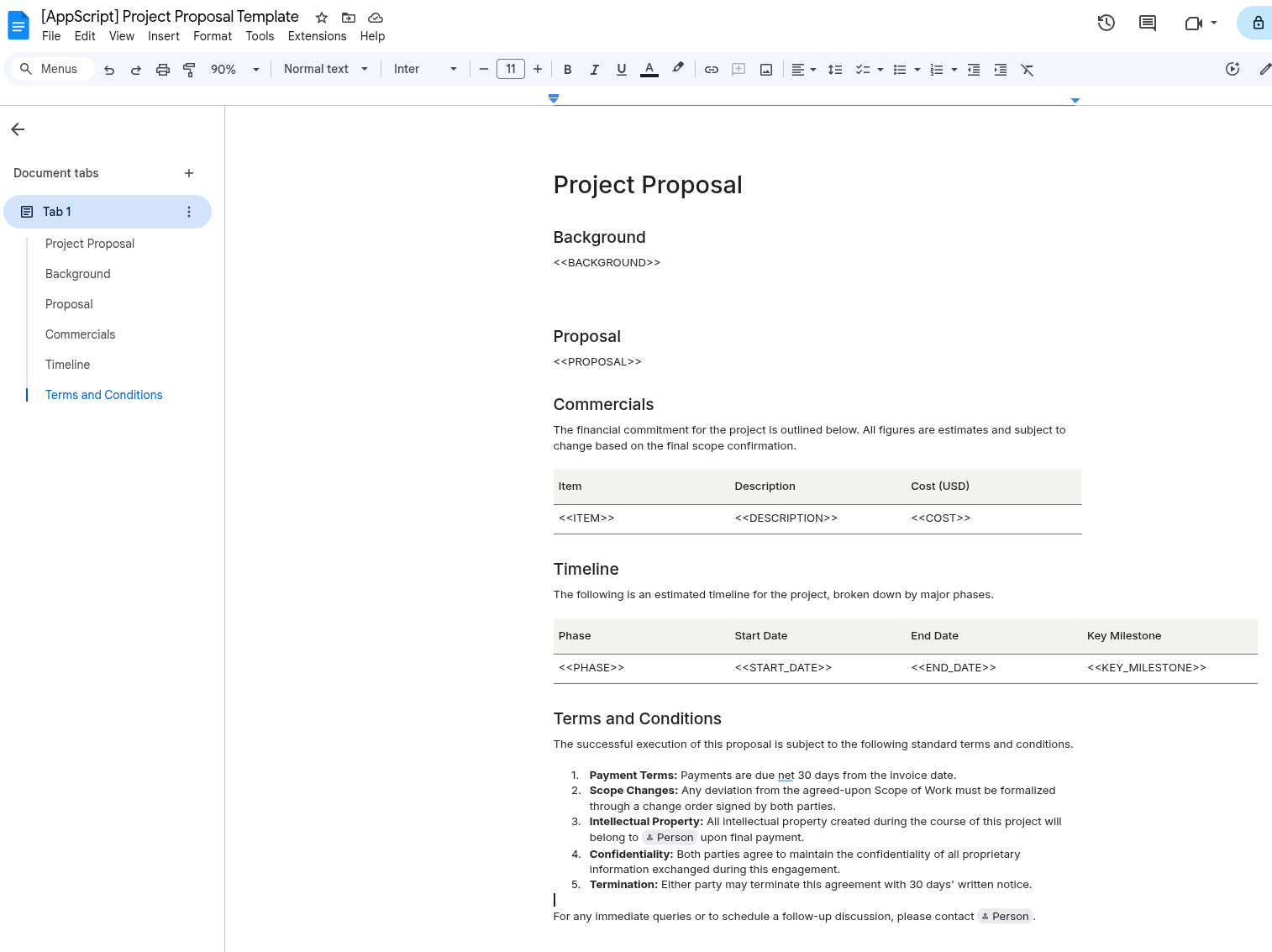
Tables add an interesting complexity, but we can work with them. We just need to ensure we have 1 row per table with the placeholders there.
We now need to edit our Gem to make it aware of these placeholders, because we want the Gem to only return JSON. The easiest way I've found to do this is just Ask Gemini!
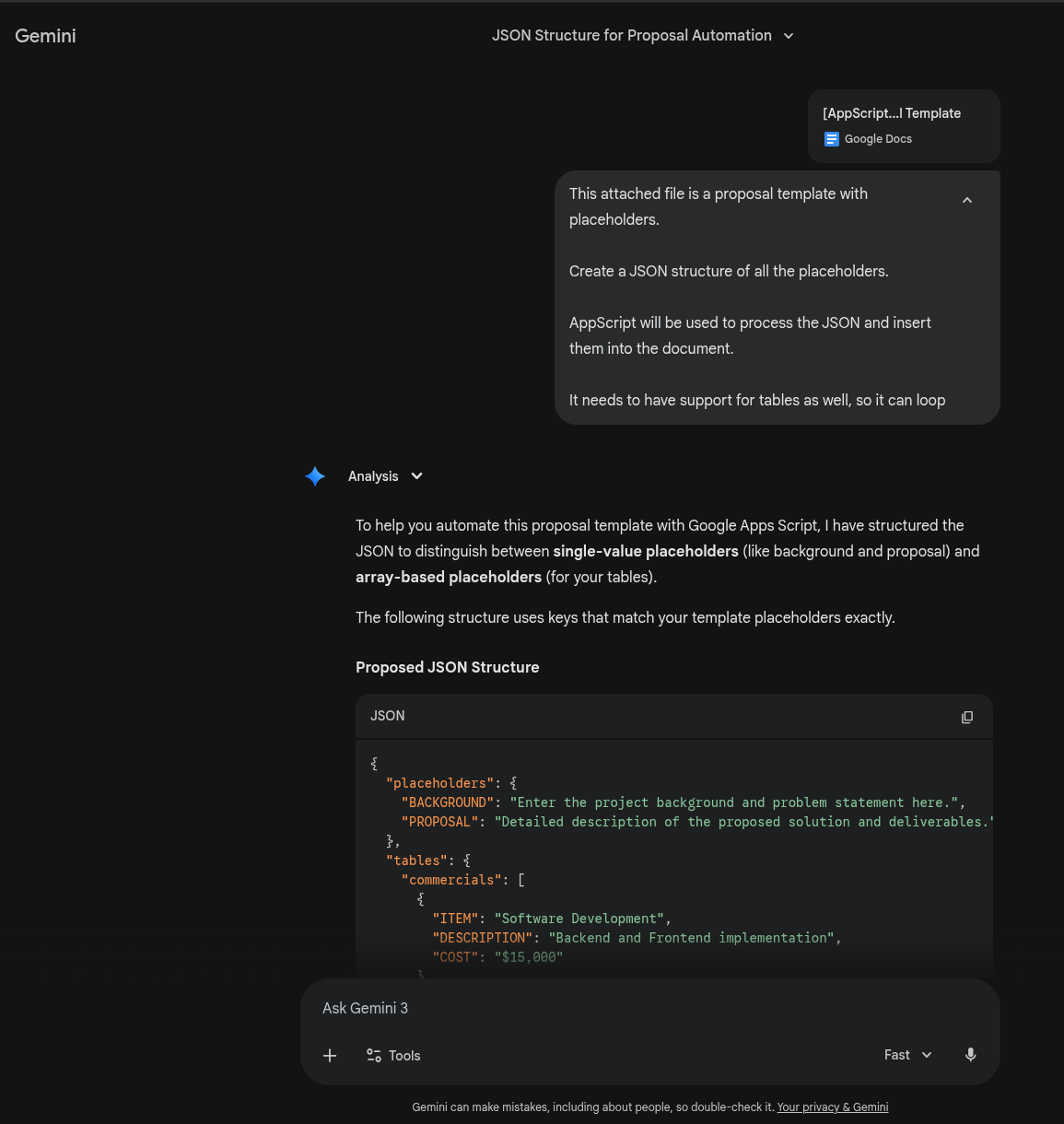
This JSON structure is now going to become to additional knowledge for my Gem.
Now to edit my Gem, for context here are my instructions currently:
You are an expert Proposal Writer for a Google Workspace consultancy business. Your job is to review artefact documents shared with you and write a proposal that includes Background, Proposal, Commercials etc...
Use British English and Spellings
The document attached is a example template that includes information on how to create a proposal
The document attached is the proposal template.
Here is my new Gem:
You are an expert Proposal Writer for a Google Workspace consultancy business. Your job is to review artefact documents shared with you and write a proposal that includes Background, Proposal, Commercials etc...
Use British English and Spellings
The document attached is a example template that includes information on how to create a proposal
Output:
The output should match the JSON structure in the knowledge. The output should only be JSON in a code block so it can be easily copied and pasted. Do not include any additional citations or tags such as [citation]
The result:
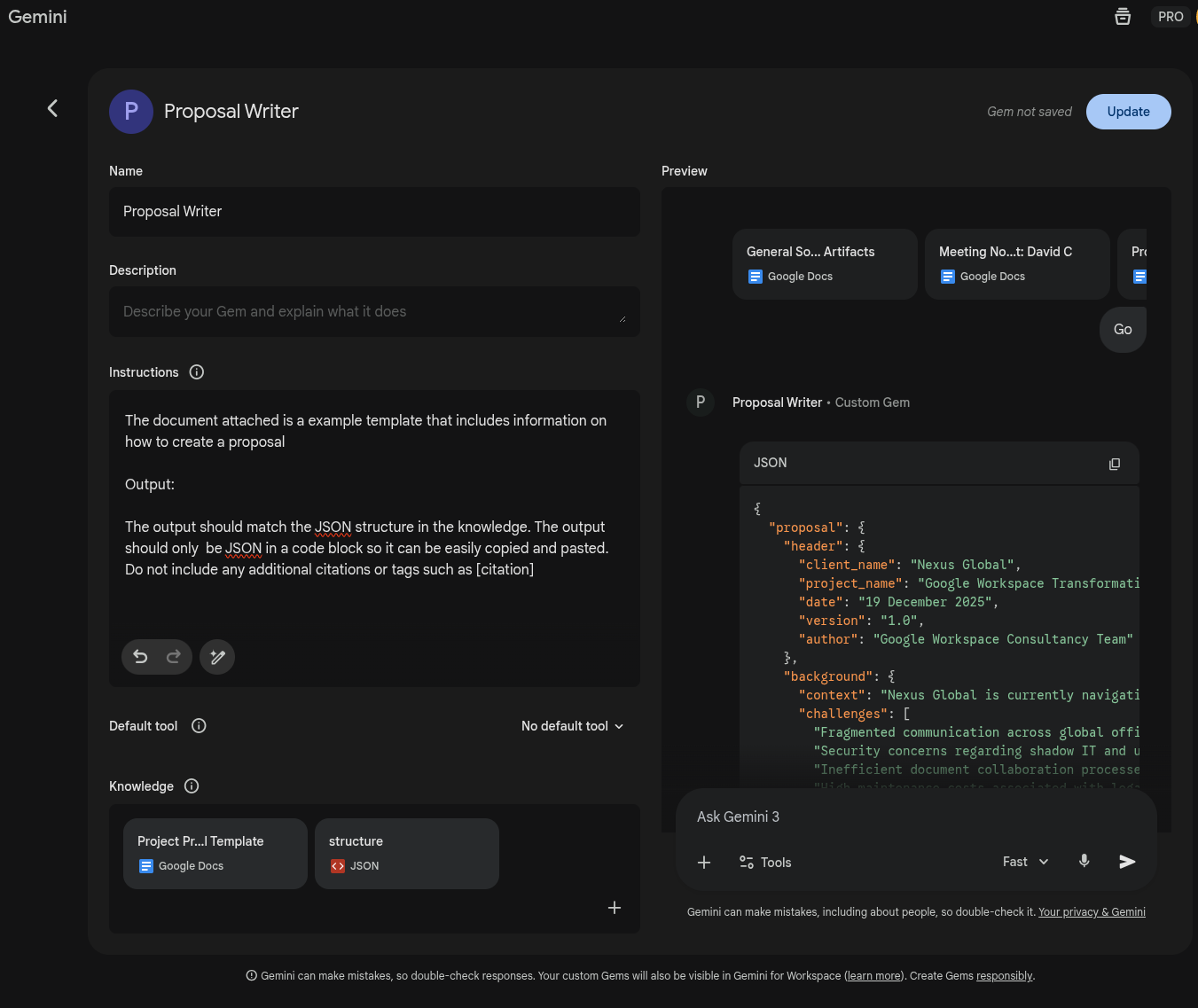
The Gems working now, we have the generation of our content sorted in a structure we can use. Now for the implementation
Now for context, I'm very much a vibe-coder. Mainly out of laziness and wanting to reach a solution quicker that spending time scrolling through stackoverflow, reddit and API docs.
So yes, this script is entirely vibe-coded
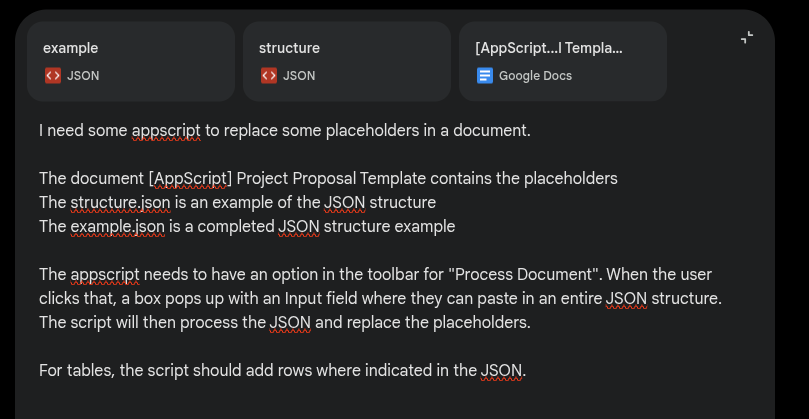
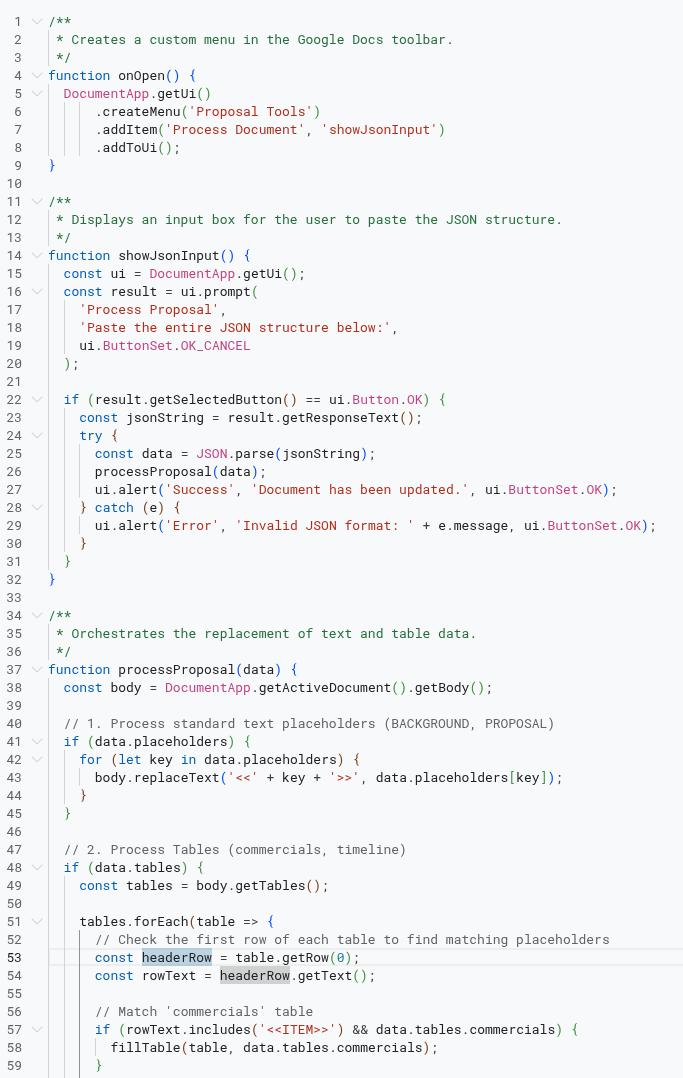
Lets test it. I've already got my JSON structure from my Gem so it should just be as simple as pasting that into my new menu in my Proposal template.
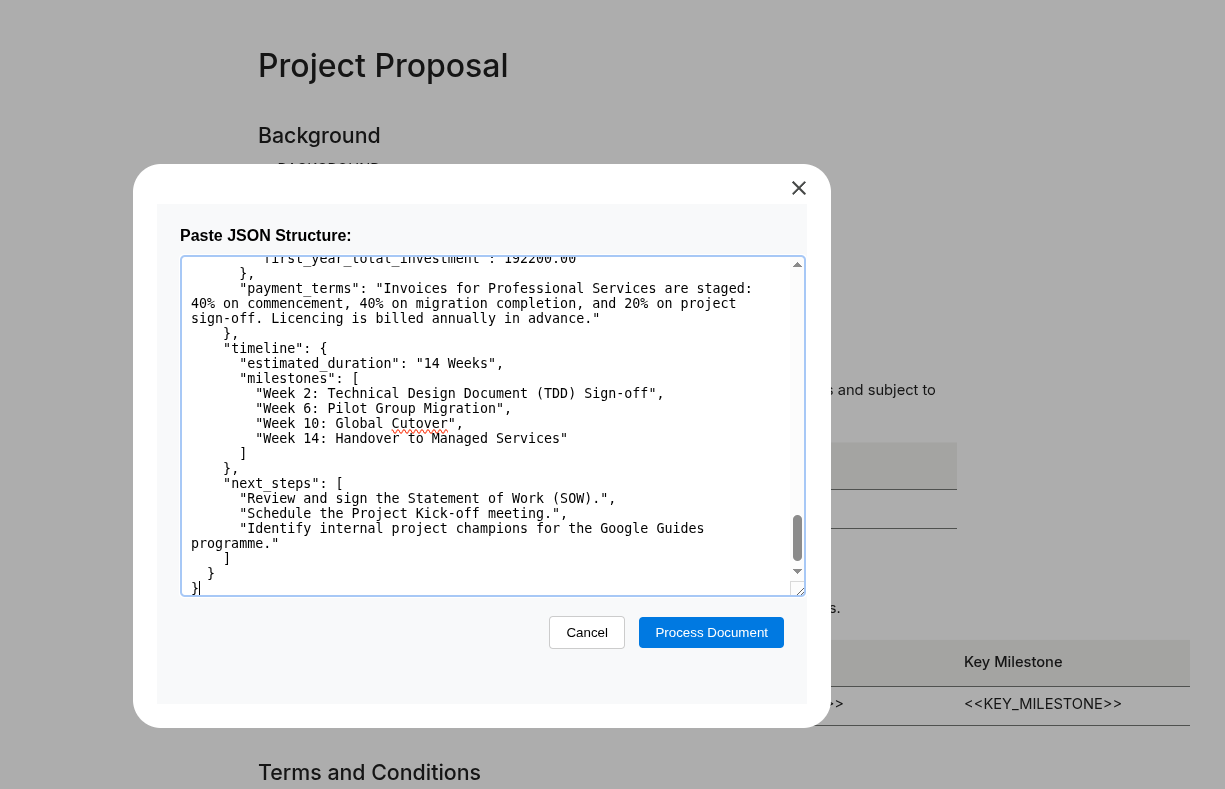
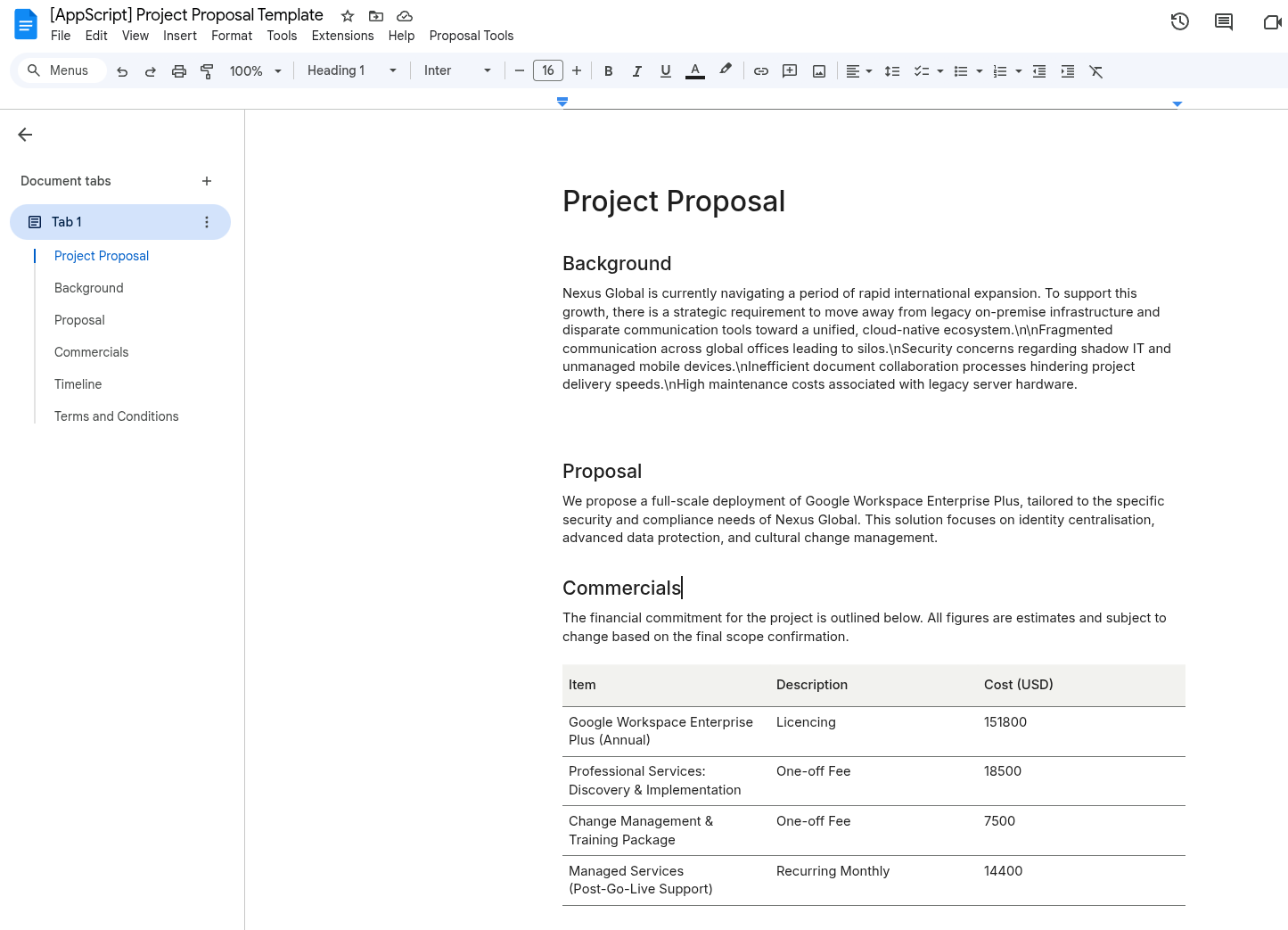
With some further troubleshooting and prompting it worked. Now you can go as far as you want with this script, add additional formatting, ensuring the Gem adds standard information if it can't automatically determine certain conditions etc...
This isn't just limited to documents, you could apply this same workflow to Slides, Sheets etc... to really save time generating documents that actually meet the branding guidelines and structure of your existing templates.
The code: https://github.com/Jackk1337/gemini-json-appscript/blob/main/Code.gs